


Upload Your Photo
Upload a clear photo of your home's exterior or a room you want to refresh.

AI-Powered Paint Color Visualizer
Upload a photo of your interior or exterior and use the CertaPro Painters® AI-assisted Paint Color Visualizer to explore how different colors could look on your own space.
Compare thousands of options from Sherwin-Williams, Benjamin Moore and PPG before narrowing down your favorites.
AI Color Visualizer & Virtual House Painter
Our AI-assisted paint color visualizer and virtual house painter make it easier to preview paint colors on your home's exterior or interior.
Upload a clear photo of your home's exterior or a room you want to refresh.
Explore thousands of colors from top brands like Sherwin-Williams, Benjamin Moore and PPG.
Save your favorites, compare side by side and find the color direction you like with more confidence.
Choosing a paint color from a small swatch can be difficult. The CertaPro Painters® Paint Color Visualizer lets you explore colors on a photo of your own space, making it easier to compare options before narrowing down your favorites.
Exterior House Color Visualizer
Preview siding, trim, shutters and door colors together. Compare your choices with fixed elements such as roofing, brick, stone and landscaping.
Explore exterior paintingInterior Paint Color Visualizer
See how wall colors interact with flooring, cabinets, furniture, trim and natural light in living rooms, bedrooms, kitchens and more.
Explore interior paintingSimple From Start to Finish
Go from a photo of your space to a shortlist of paint colors in four straightforward steps.
Start with a clear photo of your room or home exterior.
Choose the walls, siding, trim or other paintable areas you want to explore.
Try colors and compare families, undertones and combinations directly on your photo.
Narrow your options, then confirm finalists with physical paint samples and schedule a free estimate.
Find a Direction
Use popular color families as inspiration, then test them against your own home and lighting.
Soft whites, creams, taupes and warm grays.
Sage, olive and deeper organic greens.
Airy blue-grays through confident navy.
Terracotta, clay and softened browns.
Beyond the Screen
Use the visualizer to narrow choices, then evaluate your shortlist in the real conditions where the paint will live.
Match the Architecture
Your home’s architecture can help guide a palette. Use these examples as starting points, then test colors on your own photo in the visualizer.
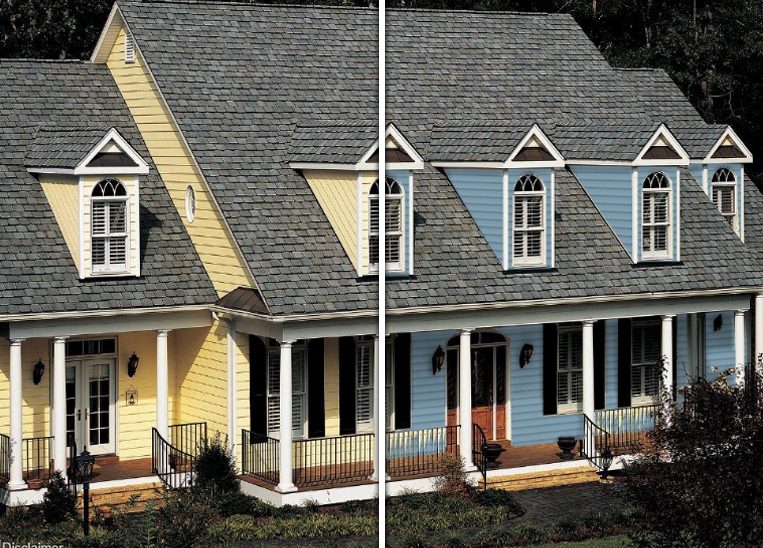
Classic neutrals, crisp trim, deep shutters and a defined front door work well with balanced Colonial proportions.
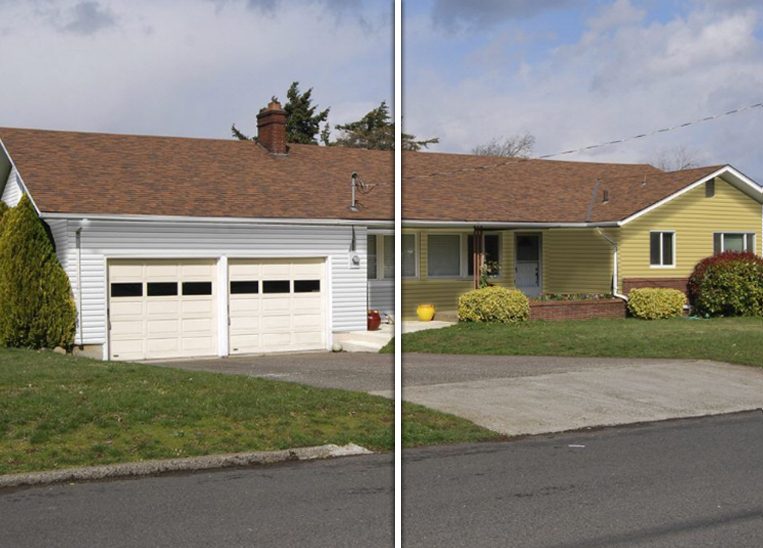
Long, low rooflines can handle warm neutrals, earthy tones and stronger accent colors that help define entries and trim.
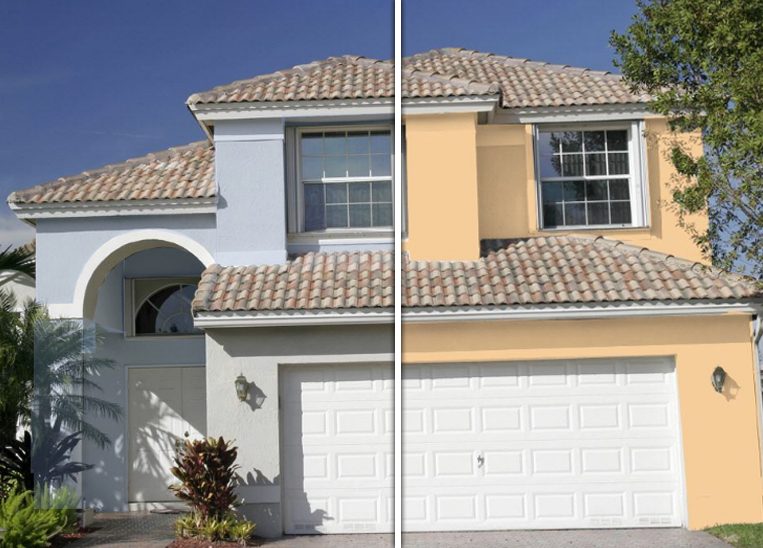
Soft whites, sandy neutrals, muted clay tones and warm grays can complement stucco texture and masonry details.
Get Better Results
Digital previews are useful for narrowing choices, but lighting and material can change how a color appears in person.
Common Questions
A paint color visualizer is an online tool that lets you preview different paint colors on a photo of your own room or home exterior before you make a final color decision.
Yes. The visualizer is designed to work with your own interior or exterior photo so you can evaluate colors in a space that is familiar to you.
Yes. The tool uses AI-assisted technology to help map selected colors onto surfaces in your photo while maintaining important visual details such as lighting, shadow and architecture.
Yes. You can use the visualizer for rooms inside your home as well as exterior surfaces such as siding, trim, shutters and doors.
No digital preview can perfectly reproduce how paint will look in person. Screen settings, lighting and surface texture can all affect appearance, so physical samples are recommended before making a final choice.
The visualizer includes thousands of options from major paint brands including Sherwin-Williams, Benjamin Moore and PPG.
Ready to Explore?
Use the visualizer to compare ideas, then connect with your local CertaPro Painters® team when you are ready to discuss your home.

By clicking next or submit you agree to receive phone, email, or text communication from us per our Terms of Use and Privacy Policy. Message/data rates apply. We do not share information with third parties or marketing services. By submitting, you authorize Certa ProPainters to reach out via phone, email, or text for explicit information about project needs. We will never share your personal information with 3rd parties for marketing purposes or spam you. You can opt out at any time. Message/data rates apply. Consent is not a condition of purchase.
